 Activity Cleaner
Take your name off old tagged photos
Activity Cleaner finds every post where someone tagged you. Choose which tags to remove: the posts stay up, only your name comes off.
- No password needed
- Free to start
- Cancel anytime
What it does
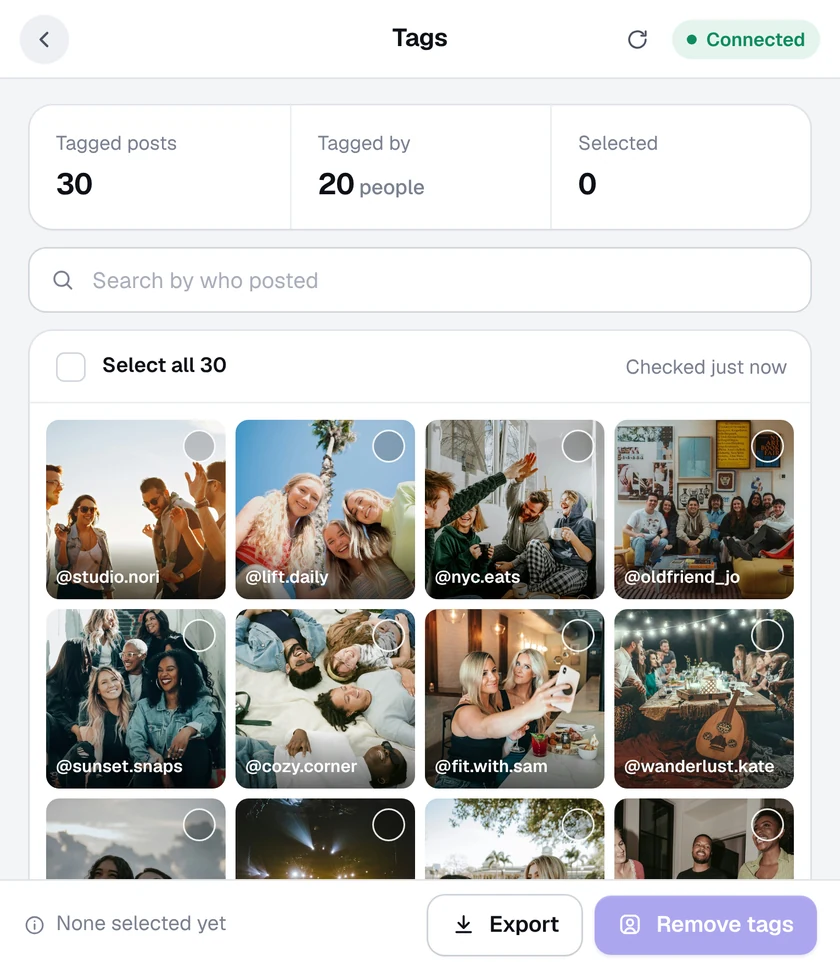
- Every tagged post, found. Your Tagged posts are gathered into one grid, with who posted each one.
- Pick by person. Search by who posted, select one by one, or select all.
- Posts stay up. Removing a tag only takes your name off. The photo stays on its owner's profile.
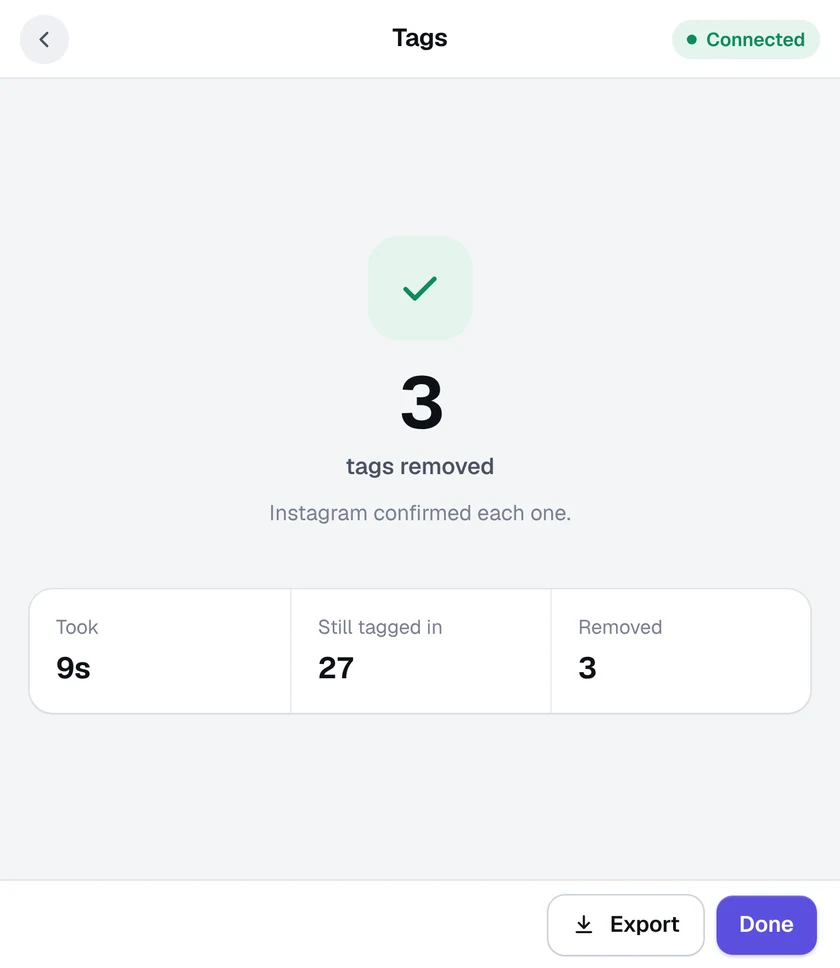
- Checked with Instagram. Each tag is confirmed as removed before it's counted.
How it works
- 1
Open the Tags tool
Click the Activity Cleaner icon and choose Tags. Your tagged posts are found.
- 2
Choose the tags
Tick the posts you want your name taken off.
- 3
Remove tags
Press Remove tags and follow along as each one is removed.
Questions
Will the person who tagged me be notified?
Instagram doesn't send a notification when you remove a tag.
Can people tag me again?
Yes, unless you change who can tag you in Instagram's Settings, under Tags and mentions.
Does it delete the photo?
No. It only removes your name from the photo. The post stays up.
More tools in Activity Cleaner
Mass unfollowSee who doesn't follow you back, then unfollow in bulk.Who unfollowed meFind out who unfollowed you since you last checked.Delete postsDelete old posts in bulk, by date.Unlike allUnlike every post you've ever liked.Delete commentsDelete comments you've left on other posts.Unsave postsUnsave everything, a collection, or just some.

Ready when you are.
Add Activity Cleaner to Chrome, open Instagram and pick a tool. Your first 25 removals are on us, every day.