 Activity Cleaner
Unlike everything you've ever liked
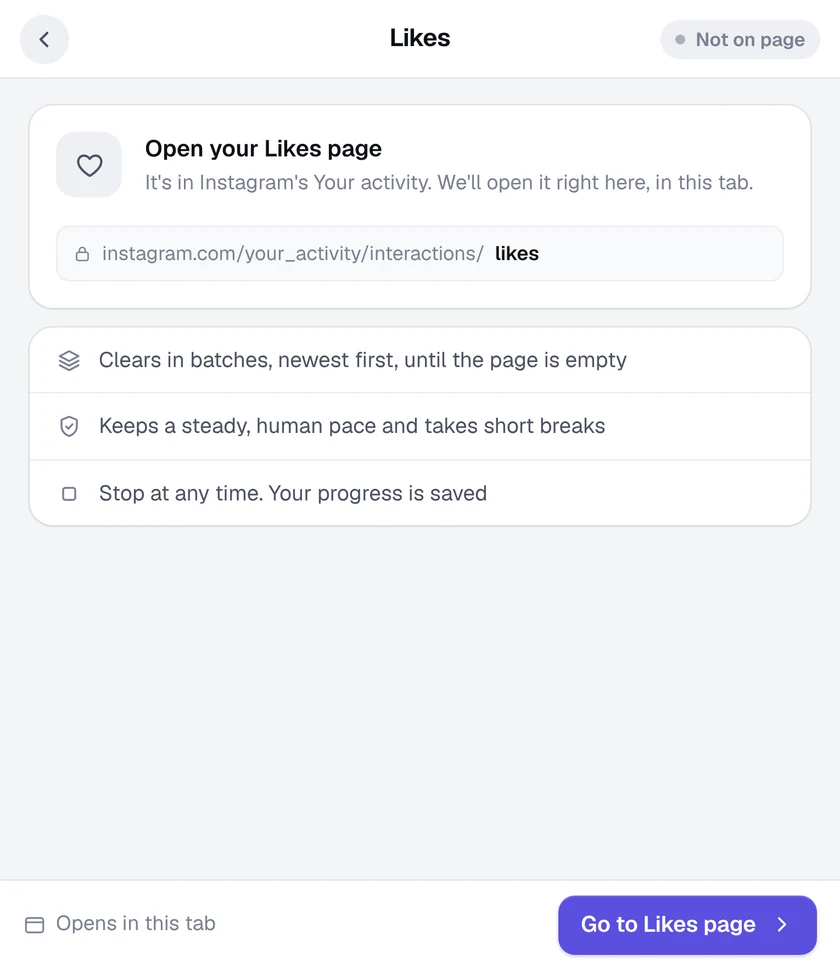
Activity Cleaner opens Instagram's own Likes page and clears it in batches, newest first, until it's empty.
- No password needed
- Free to start
- Cancel anytime
What it does
- Uses Instagram's own page. It works on Your activity, Likes: the same page Instagram gives you, just without the clicking.
- Batch after batch. Likes are removed in batches, newest first, with short breaks to keep your account safe.
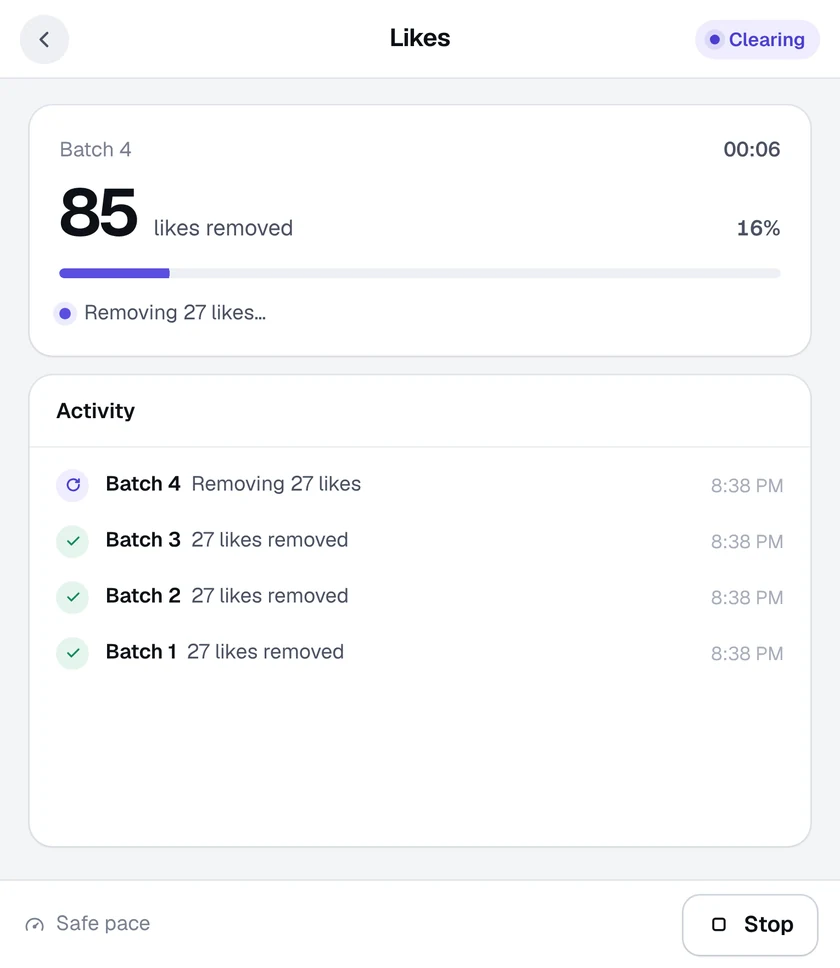
- Carry on with your day. Keep the Instagram tab open and use other tabs. Get a desktop alert when it finishes.
- Stop whenever you like. Your progress is saved, so you can pick up later from where it stopped.
How it works
- 1
Open the Likes tool
Click the Activity Cleaner icon and choose Likes. It opens your Likes page for you.
- 2
Start clearing
Press Start clearing. Each batch is selected and removed for you.
- 3
Watch it go
Follow each batch in the window, and stop or pause at any time.
Questions
Why does it need Instagram in English?
The Likes tool reads Instagram's Your activity page. If it asks for English, switch Instagram's language to English in Settings, reload the page and try again.
Will the people I unliked be notified?
No. Instagram doesn't notify anyone when a like is removed.
How long does it take?
It depends on how many likes you have. Clearing happens in batches with short safety breaks, so large histories can take a while. You can leave it running in the background.
More tools in Activity Cleaner
Ready when you are.
Add Activity Cleaner to Chrome, open Instagram and pick a tool. Your first 25 removals are on us, every day.